Table of Contents
- What Makes a Design Durable and Professional for Artwork Conversion
- How to Prepare Your Logo for Printing
- Vector File Requirements for Screen Printing
- Professional Logo Digitizing for Embroidery
- Best File Formats for Custom Apparel
- Technical Conversion Workflows for Durability
- Professional Design Criteria That Survive Production
- Common Mistakes That Compromise Durability
- Frequently Asked Questions
Last Updated: September 29, 2026
What Makes a Design Durable and Professional for Artwork Conversion
A durable design maintains vibrant, professional appearance through artwork conversion by preparing files correctly before production. The difference between a logo that holds up through dozens of washes and one that cracks or fades comes down to file preparation.
Custom apparel designs must survive heat (screen printing exceeds 300°F), friction (embroidery pulls thread thousands of times), and repeated washing. Each production method demands different file preparation.
Durable designs professional artwork conversion starts with resolution. Vector graphics scale infinitely using mathematical formulas. Raster artwork requires 300 DPI minimum; a logo at 72 DPI will pixelate when enlarged for a 20-inch print.
RGB (screens) and CMYK (print) are not interchangeable. A design created in RGB shifts dramatically when converted to CMYK. Gradients separate into visible bands during screen printing. Solid colors survive production better than complex transitions.
How to Prepare Your Logo for Printing
Your logo is the centerpiece of your custom apparel. Getting its preparation right determines whether it looks professional across every jersey, hat, or promotional item you produce.
Resolution and Scalability Requirements
For screen printing, vector artwork is essential. Vector files scale from 2-inch emblems to 24-inch prints without quality loss. EPS and AI formats are vector-based. JPEG and PNG logos must be professionally traced into vector format before production.
Raster images require 300 DPI minimum. A 4-inch logo at 300 DPI contains 1,200 pixels across; scaling to 8 inches stretches those pixels and creates blur.
For embroidery, resolution translates to stitch count. Highly detailed logos require 50,000+ stitches, making pieces stiff and prone to puckering. Professional digitizing keeps chest logos to 5,000-15,000 stitches for clarity and durability.
Color Modes and Vibrant Output
RGB uses light (screens); CMYK uses pigment (ink and thread). Colors shift noticeably in conversion because CMYK’s color gamut is smaller.
Vibrant electric blue in RGB becomes darker in CMYK. Neon colors often cannot be reproduced in screen printing. Build designs in CMYK from the start or work with a provider on color substitutions.
Gradients require hundreds of color transitions on screen but screen printing uses 1-4 colors. Gradients must separate into color blocks or use halftone dots, changing appearance.
Vector File Requirements for Screen Printing
Screen printing demands clean, simple artwork with clear color separation. This is where durable designs professional artwork conversion begins.
Vector files define each color as a separate shape. The screen printer creates one screen per color; each deposits one ink color onto fabric. Separation precision determines final quality.
Vector files allow registration marks for accurate color alignment. Misregistration is a common quality issue; proper vector files eliminate it.
Vector files must contain no embedded raster images. Placed JPEGs or PNGs pixelate when enlarged. Trace all raster artwork into vectors before production.
Convert strokes and outlines to filled shapes. Thin outlines disappear during screen printing. Outlines should be 1-2 points wide for durability.
Professional Logo Digitizing for Embroidery
Embroidery converts artwork into stitch patterns. The process requires a completely different approach to file preparation than screen printing.
Professional digitizing is manual, not automatic. Digitizers remove fine details, simplify curves, and organize stitches to minimize thread breaks and puckering.
Stitch Count and Thread Selection
Stitch count determines embroidery weight. 5,000 stitches is light and flexible; 50,000+ is stiff and puckers fabric.
Professional chest logos use 5,000-15,000 stitches. Back patches use 20,000-25,000. Above that risks puckering and fabric damage.
Polyester thread is standard, it resists fading and washing better than cotton. Rayon is shinier but less durable. Metallic thread is fragile and prone to breaking.
Design Simplification for Longevity
Embroidery cannot reproduce fine details. A logo with thin lines, small text, or intricate patterns will either lose those details during digitizing or require so many stitches that durability suffers.
Professional digitizers simplify designs by removing elements that embroidery cannot reproduce. A thin outline becomes a slightly thicker line. Small text gets enlarged or removed entirely. Complex gradients become solid color blocks. This simplification is essential for durability.
The number of colors also matters. Each color requires a thread change, which adds production time and cost. More importantly, too many color changes can create weak points in the embroidery where threads overlap. Most durable embroidered logos use 3-6 colors maximum.
Best File Formats for Custom Apparel
Not all file formats are created equal. The right format for your project depends on the production method.
Vector Formats: SVG, EPS, and AI
EPS (Encapsulated PostScript) is the industry standard for screen printing and professional printing. Almost every screen printer accepts EPS files. EPS preserves vector information perfectly and is compatible with virtually all design software.
AI (Adobe Illustrator) is the native format for Adobe Illustrator. It’s also vector-based and widely accepted, though some older equipment may have compatibility issues. If you’re sending to a professional printer, confirm they accept AI before committing to that format.
SVG (Scalable Vector Graphics) is a web-standard vector format gaining acceptance in the custom apparel industry. It’s excellent for digital use and increasingly supported by production software. However, not all printers are equipped to work with SVG directly, so confirm compatibility first.
All three formats preserve vector information and scale infinitely. The choice between them usually comes down to what your designer uses and what your printer prefers.
Raster Formats and When to Use Them
JPEG and PNG are raster formats, they store information as pixels. They’re not ideal for custom apparel, but sometimes they’re what you have.
If your artwork exists only as a JPEG or PNG, you have two options: have it professionally traced into vector format, or accept the limitations of raster artwork. A raster logo at 300 DPI can work for small applications (under 4 inches), but anything larger risks pixelation.
PDF is a hybrid format that can contain both vector and raster information. It’s useful for proofs and communication, but most production equipment prefers pure vector files.
| Format | Best For | Scalability | Production Compatibility |
|---|---|---|---|
| EPS | Screen printing, professional printing | Infinite | Universal |
| AI | Design work, Adobe workflows | Infinite | High (confirm first) |
| SVG | Web use, digital assets | Infinite | Growing (confirm first) |
| JPEG | Temporary mockups only | Limited | Poor for production |
| PNG | Digital preview only | Limited | Poor for production |
Technical Conversion Workflows for Durability
The path from your artwork to finished apparel involves several technical steps. Understanding this workflow helps you prepare files that survive each step without degradation.
Start with a master file in your preferred vector format (EPS or AI). This is your permanent record. Never edit this file for different applications, instead, create copies for different purposes. One copy becomes your screen printing file. Another becomes your embroidery file. A third becomes your digital printing file.
For screen printing, your workflow separates colors and creates separations. A four-color logo requires four separate screens, one for each color. The digital file must clearly define each color as a distinct shape with no overlaps or gaps. Overlaps cause ink to bleed. Gaps cause white space where there should be color.
For embroidery, your workflow involves digitizing. The vector file goes to a professional digitizer who creates an embroidery file (typically .pes.jef, or .exp format). The digitizer removes fine details, simplifies curves, and organizes stitches to minimize thread breaks. This is not a simple conversion, it’s a skilled process that determines embroidery quality.
For digital printing, your workflow is simpler. The vector file converts to a high-resolution raster image at 300 DPI, then prints directly onto the fabric. Digital printing preserves more detail and color complexity than screen printing, but the ink sits on top of the fabric rather than bonding with fibers, so durability depends on the quality of the ink and the fabric treatment.
Each workflow demands slightly different file preparation. This is why professional providers ask for specific file formats and specifications, they’re optimizing for the production method they use.
Professional Design Criteria That Survive Production
Durability comes from understanding what production methods can and cannot do, then designing within those constraints.
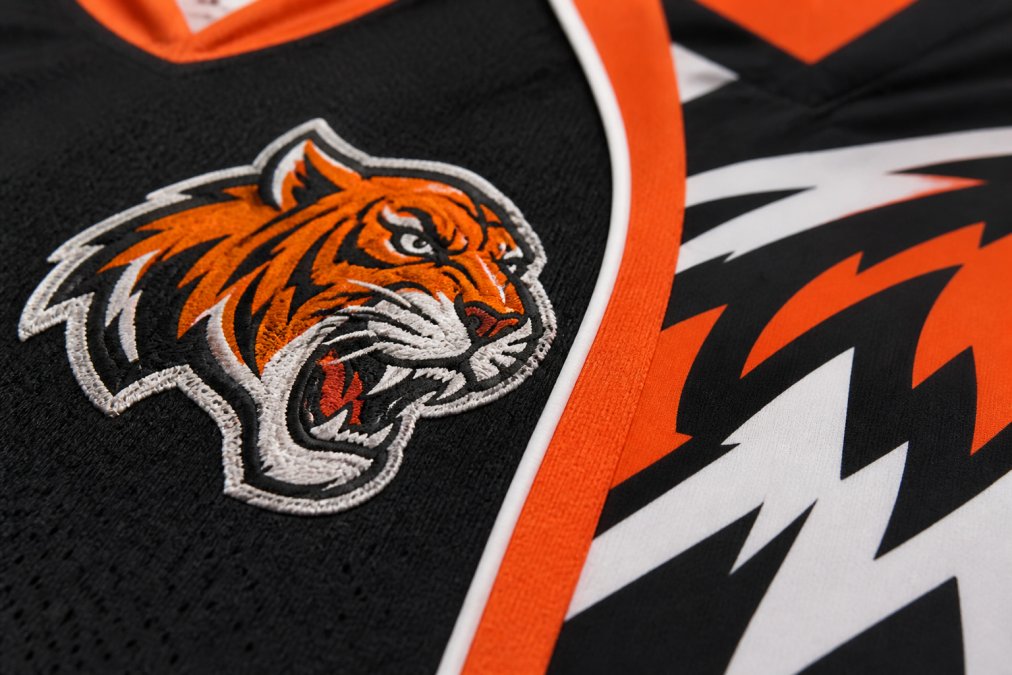
A durable design maintains its appearance through heat, pressure, friction, and repeated washing. This requires simplicity, clarity, and the right file format for the production method. Designs with too many colors, too much detail, or overly thin elements fail because production equipment cannot reproduce them accurately.
Professional design criteria start with contrast.
Common Mistakes That Compromise Durability
Most durability problems trace back to a few predictable mistakes made during file preparation.
Frequently Asked Questions
What file format should I use for professional artwork conversion on custom apparel?
Vector formats like SVG, EPS, and AI are best for scalability and print durability. These formats preserve sharp edges and vibrant colors without pixelation, even when enlarged. If you only have raster files (JPG, PNG), professional conversion services can digitize them into vector format, ensuring your design remains crisp across screen printing, embroidery, and digital printing applications.
How do I ensure my logo design remains vibrant and durable after multiple washes?
Use high-quality file formats with proper color modes (CMYK for print, RGB for digital preview), maintain adequate stitch density for embroidery, and avoid overly complex designs with thin lines that crack. Work with professionals who understand print durability standards and can convert your artwork using techniques that bond inks or threads securely to fabric. Simpler, well-spaced designs with bold colors outlast intricate, delicate artwork.
What’s the difference between raster and vector files for printing on custom apparel?
Vector files use mathematical formulas to create scalable shapes, staying sharp at any size without quality loss. Raster files are pixel-based and lose clarity when enlarged. For durable apparel designs, vector files are superior because they maintain crisp edges during screen printing and embroidery. If you have only raster artwork, professional digitizing can convert it to vector format for production-ready durability.
Why is professional artwork conversion necessary for custom uniforms?
Professional conversion ensures your design meets technical requirements for your chosen printing method, whether screen printing, embroidery, or digital printing. Conversion specialists optimize file structure, adjust color separation, simplify complex elements, and verify durability standards so your design survives washing and wear. This prevents costly production errors, color bleeding, thread breakage, and designs that fade or crack prematurely.