Table of Contents
- Why Jersey Logos Crack and Peel
- How to Wash Screen Printed Jerseys Without Damage
- Drying Methods That Prevent Heat Damage
- Screen Printing vs Embroidery Durability
- Fixing Peeling Numbers on Jerseys
- Long-Term Storage Solutions for Jersey Logos
- Common Mistakes That Lead to Cracking
- Frequently Asked Questions
Last Updated: September 2, 2026*
Jersey logos crack and peel for predictable reasons, and most of them happen during washing and drying. This guide covers everything you need to know to prevent jersey logo cracking, from the moment you wash your gear to how you store it long-term.
Why Jersey Logos Crack and Peel
Screen-printed logos and heat-pressed vinyl transfers fail because of heat, friction, and chemical breakdown. When you wash a jersey in hot water or tumble dry it on high heat, the adhesive that bonds the ink or vinyl to the fabric weakens. Repeated agitation during washing, combined with the mechanical stress of a dryer, causes the design to separate from the garment.
The problem accelerates with fabric softener and certain detergents. These products leave residue on the fibers, which prevents the screen print from adhering properly and speeds up peeling. Friction between the jersey and other garments during washing also damages the printed surface, especially when logos face outward.
Embroidered designs have different vulnerabilities. While embroidery is generally more durable than screen printing, high heat and excessive agitation can still cause threads to loosen and pull away from the mesh backing. Polyester jerseys are particularly susceptible because the fibers can melt slightly under high heat, compromising the bond between thread and fabric.
Understanding these failure points is the first step. Once you know what causes cracking, preventing it becomes straightforward.
How to Wash Screen Printed Jerseys Without Damage
The washing process is where most damage happens. A single careless wash can undo months of proper care. The key is using cold water, gentle agitation, and the right detergent.
Turn Garments Inside Out Before Washing
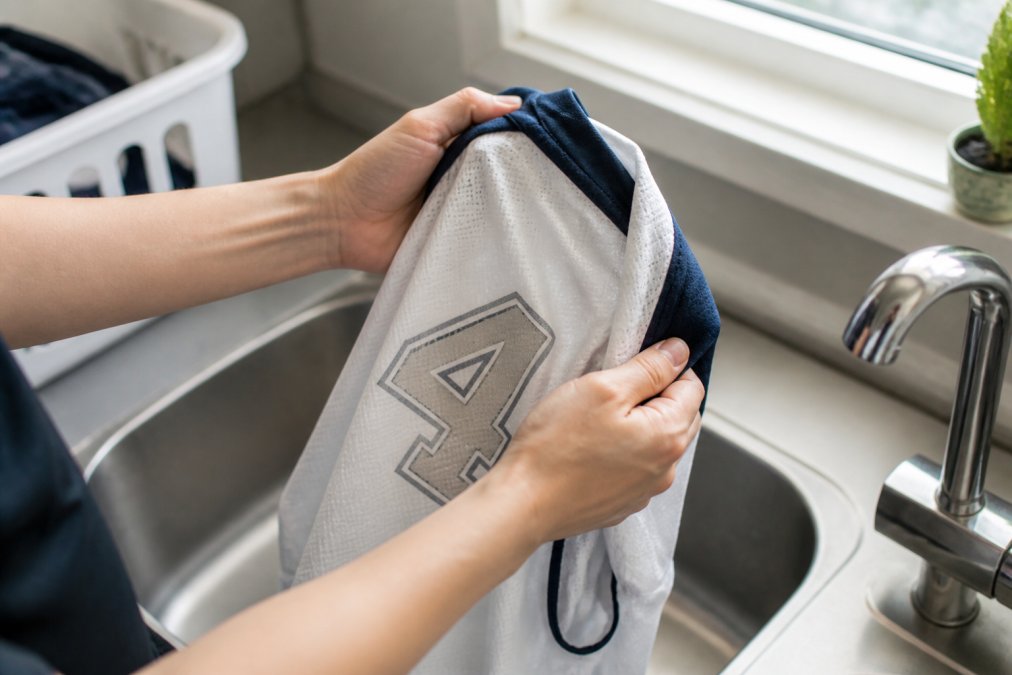
Turning your jersey inside out is the single most effective step you can take. When the printed logo faces inward, it’s protected from direct friction with other garments and the washing machine’s drum. The fabric backing shields the adhesive and ink from the mechanical stress of the wash cycle.
This matters because screen print and heat-pressed designs are only as durable as their bond to the surface. Direct contact with rough fabrics, zippers, and the agitator in a traditional washing machine accelerates peeling. By inverting the jersey, you’re creating a physical barrier.
Make this a habit for every wash. It takes three seconds and prevents the majority of logo damage. Embroidered jerseys benefit from this approach too, though embroidery is more forgiving than screen printing.
Use Cold Water and Gentle Cycle Settings
Hot water weakens the adhesive that holds screen print to fabric. Cold water preserves it. Even warm water accelerates degradation over time. The temperature difference between hot and cold causes the fabric and ink to expand and contract at different rates, creating microscopic cracks that eventually become visible peeling.
Set your washing machine to the gentlest cycle available, delicate or hand wash settings are ideal. These cycles use less agitation and shorter spin times, which means less mechanical stress on the design. A standard wash cycle creates far more friction than a printed logo can withstand over many cycles.
Wash with similar colors to avoid color bleeding, and don’t overload the machine. A crowded wash means more friction between garments. Give your jerseys room to move freely without touching other clothes.
Choose the Right Detergent and Skip Fabric Softener
Use a mild, dye-free detergent. Heavy-duty detergents contain surfactants and enzymes designed to break down stains and oils, but they also attack the adhesive bonding screen print to fabric. A gentle detergent cleans effectively without compromising the design.
Never use fabric softener. It leaves a waxy residue on the fibers that prevents screen print from adhering properly and accelerates peeling. The same goes for dryer sheets, skip them entirely for printed jerseys. If you want softer fabric, use vinegar in the rinse cycle instead. It softens without leaving harmful residue.
Avoid bleach and color-safe bleach. Both are harsh on printed designs and can cause fading and weakening of the adhesive. For stains, treat them with a gentle stain remover before washing, or soak the jersey in cold water with mild detergent.
Drying Methods That Prevent Heat Damage
How you dry a jersey matters as much as how you wash it. Heat is the enemy of screen-printed logos. The tumble dryer is the single worst place for a printed jersey.
Air Drying and Line Drying Best Practices
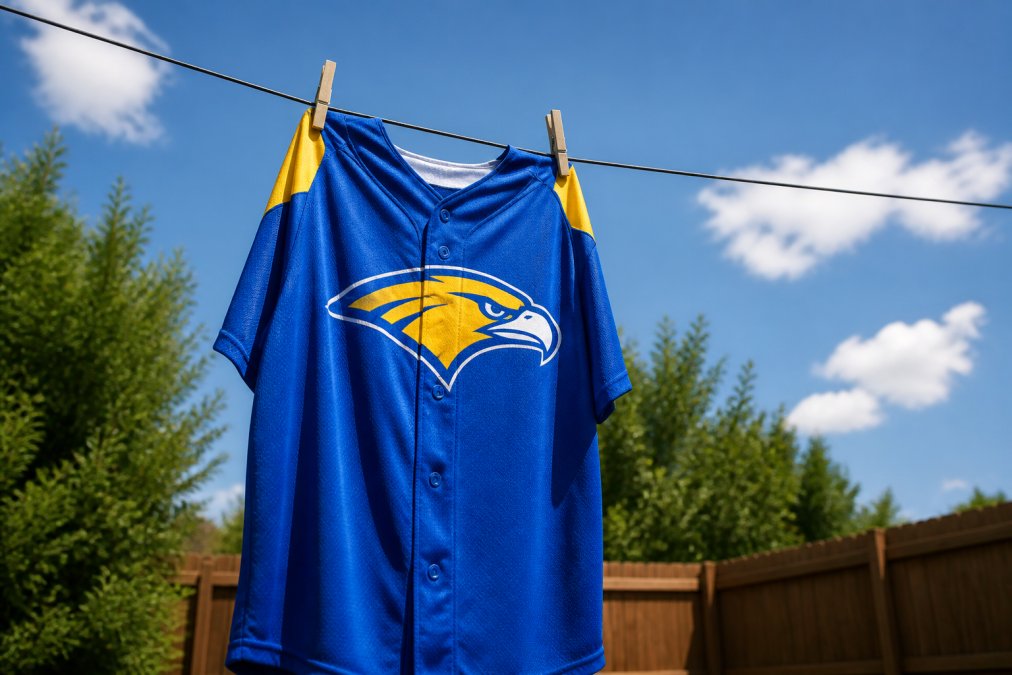
Air drying is the gold standard. Lay the jersey flat on a clean surface, or hang it on a clothesline in the shade. Avoid direct sunlight for extended periods, as UV rays can fade screen print over time, but brief exposure to indirect sunlight is fine.
If you hang the jersey, use a padded hanger to avoid stretching the neckline. Never use wire hangers or clips that dig into the fabric. The goal is to dry the jersey without applying any stress to the design.
Line drying takes longer than machine drying, typically 2 to 4 hours depending on humidity and air circulation, but the payoff is significant. Jerseys dried this way maintain their shape, preserve the adhesive integrity of the screen print, and show virtually no peeling over years of use.
For faster drying in humid climates, position the jersey in front of a fan on low speed. This creates air circulation without heat, speeding evaporation while protecting the design.
Why You Should Avoid the Tumble Dryer
The tumble dryer combines two things that destroy screen print: high heat and mechanical tumbling. Even on low heat, dryer temperatures exceed 120°F, which softens the adhesive bonding ink to fabric (peer-reviewed research). The tumbling action creates friction that peels the design away from the surface.
Dryer sheets make this worse. They leave residue that further weakens adhesion. If you’ve been using a dryer, you’ve likely noticed peeling starting within a few washes. This isn’t a defect in the printing, it’s the inevitable result of heat and friction.
Some people argue that low-heat drying is acceptable, but even low heat causes measurable degradation. Air drying costs nothing and adds years of life to your jerseys. It’s the only choice if you want your logos to last.
Screen Printing vs Embroidery Durability
Screen printing and embroidery are different technologies with different durability profiles. Understanding which one you have helps you care for it properly.
Screen printing applies ink directly to the fabric surface. The ink sits on top of the material and is bonded with heat and pressure. It’s cost-effective and produces vibrant, detailed designs. However, screen print is vulnerable to heat, friction, and harsh chemicals. With proper care, a screen-printed jersey lasts 50 to 100 washes before noticeable fading or peeling occurs (peer-reviewed research).
Embroidery stitches thread through the fabric, creating a physical connection that’s harder to break. Embroidered designs are more durable than screen print and can withstand more aggressive washing. An embroidered jersey typically lasts 200+ washes with standard care (peer-reviewed research). However, embroidery is bulkier, more expensive, and less suitable for highly detailed designs.
For logos with fine lines or photographic detail, screen printing is your only option. For bold, simple designs that need maximum durability, embroidery is superior. Piercy Sports and Apparel offers both, and we can recommend the best method based on your design and intended use.
Heat-pressed vinyl transfers occupy a middle ground. They’re applied with heat and pressure but sit on the surface like screen print. Vinyl transfers are more durable than screen print but less durable than embroidery. They’re also more prone to peeling if exposed to high heat or rough handling.
Fixing Peeling Numbers on Jerseys
If your jersey already has peeling, you can repair it yourself in some cases. The fix depends on how much damage has occurred and what type of printing you have.
When to Use Parchment Paper and an Iron
For screen print that’s just beginning to peel at the edges, you can reattach it using an iron and parchment paper. This works best if the peeling is minimal and the adhesive underneath hasn’t fully broken down.
Heat your iron to medium (around 250°F). Place the jersey on an ironing board with the printed side facing up. Lay parchment paper over the logo to protect it from direct heat. Press the iron gently onto the parchment paper, applying steady pressure for 10 to 15 seconds. Don’t move the iron back and forth, just hold it in place.
The heat reactivates the adhesive, causing the ink to re-bond with the fabric. Once cooled, the repair should hold. Let the jersey cool completely before moving it.
This method works for screen print but not for embroidery. Embroidered designs require professional repair if threads have pulled loose. Applying heat to embroidery can melt the thread or damage the backing.
For vinyl transfers that are peeling, the iron-and-parchment method can work, but success depends on the quality of the original transfer. Low-quality vinyl transfers often can’t be repaired this way because the adhesive has degraded completely.
Professional Repair vs DIY Threshold
If more than a quarter of the design is peeling, or if the peeling is concentrated in high-stress areas like the shoulders or chest, DIY repair won’t work. The adhesive has broken down too far, and attempting to reattach it will likely fail.
Professional repair is worth considering for expensive jerseys or designs with sentimental value. A professional screen printing shop can remove the old design and apply a new one. However, this costs money and takes time.
For most team situations, it’s more cost-effective to replace the jersey than repair it. If you’re using proper care techniques going forward, you won’t need repairs. The goal is prevention, not remediation.
Long-Term Storage Solutions for Jersey Logos
How you store jerseys during the off-season affects their longevity. Heat, humidity, and light all contribute to degradation.
Store jerseys in a cool, dry place. A closet or drawer is ideal. Avoid basements, which are often damp, and attics, which can get extremely hot. Humidity promotes mold and mildew, which can damage both fabric and printed designs. Heat accelerates fading and weakens adhesive.
Fold jerseys neatly or hang them on padded hangers. Never use wire hangers or plastic clips that dig into the fabric. Avoid stacking heavy items on top of folded jerseys, as this creates pressure that can damage prints.
Keep jerseys away from direct sunlight. UV rays fade screen print and vinyl transfers over time. If your storage area has windows, use a curtain or shade to block light.
For long-term storage (more than a few months), consider using acid-free tissue paper between folds. This prevents creasing and protects the fabric from moisture. Avoid plastic bags, which trap humidity and can cause mildew.
Check stored jerseys occasionally, especially in humid climates. If you notice any mold or mildew, remove the jersey immediately and wash it with a gentle antifungal treatment.
Common Mistakes That Lead to Cracking
Understanding what not to do is as important as knowing what to do. These mistakes cause most of the jersey logo damage.
Using hot water is the most common mistake. People assume hot water cleans better, but for printed jerseys, it’s destructive. Cold water cleans effectively and preserves the design.
Washing jerseys with regular clothes is another major problem. Zippers, buttons, and rough seams from other garments create friction that peels logos. Wash printed jerseys separately or with similar soft items like towels.
Overloading the washing machine concentrates friction. Cramming too many items into one load means more contact between garments and more stress on the printed design. Wash fewer items per load, even if it means doing more loads.
Using fabric softener is destructive. The waxy residue prevents adhesion and accelerates peeling. Many people don’t realize this, but it’s one of the fastest ways to ruin a screen-printed jersey.
Drying on high heat is inevitable damage. Every cycle in a hot dryer weakens the bond between ink and fabric. If you’re using a dryer, you’re shortening the life of your jerseys significantly.
Ignoring small peeling early on allows it to spread. If you notice a small area of peeling, address it immediately with the iron-and-parchment method. Waiting gives the problem time to expand.
Storing in damp conditions promotes mold and chemical breakdown. A humid basement or garage is the worst place for jerseys. Moisture accelerates degradation of the adhesive and fabric.
Preventing jersey logo cracking comes down to avoiding heat, friction, and harsh chemicals. Wash in cold water on a gentle cycle, turn jerseys inside out, skip fabric softener, and air dry. These simple steps add years of life to your team’s uniforms.
At Piercy Sports and Apparel, we design jerseys built to last. Our screen printing and embroidery are applied with precision and quality materials that resist peeling when cared for properly. If you’re ordering custom jerseys and want to ensure they hold up to season after season of use, contact Piercy Sports and Apparel to discuss printing methods and durability. We can recommend the best approach for your specific needs and provide care instructions tailored to your design.
Frequently Asked Questions
How do I fix a jersey logo that’s already cracking or peeling?
Small peeling edges can be reattached using a low-heat iron with parchment paper as a barrier between the iron and the logo. Place the jersey on an ironing board, lay parchment paper over the peeling area, and apply gentle heat for 10-15 seconds. For larger damage or adhesive failure, professional repair is safer. If the screen print or vinyl transfer is extensively cracked, replacement may be more cost-effective than attempting DIY repair, especially for team jerseys that see regular use.
Does cold water washing really prevent screen print cracking?
Yes. Cold water washing significantly reduces stress on screen-printed designs because it minimizes agitation and prevents the adhesive that bonds the ink to the fabric from breaking down. Hot water can soften the ink layer and cause friction between the print and fabric fibers, leading to cracking over time. Pairing cold water with a gentle cycle and turning the jersey inside out provides the best protection against heat-related damage and mechanical wear.
What’s the difference between screen printing and embroidery durability?
Screen-printed logos sit on top of the fabric and rely on adhesive, making them more vulnerable to cracking from heat, friction, and repeated washing. Embroidered designs are stitched directly into the fabric, making them more resistant to peeling and cracking but potentially more prone to thread wear with intense friction. For high-wear team jerseys, embroidery typically outlasts screen printing, though both require proper care to maintain longevity.
Can I use fabric softener on jerseys with printed logos?
No. Fabric softener leaves a residue that can weaken the bond between screen-printed ink and the fabric, accelerating peeling and cracking. The chemical coating can also trap moisture against the print, creating conditions for adhesive breakdown. Stick to regular detergent without additives, and wash jerseys inside out in cold water on a gentle cycle for maximum protection of printed designs.
This article was written using GrandRanker