Table of Contents
- Why Mid-Season Roster Changes Wreck Uniform Orders
- Building a Team Uniform Size Tracking Spreadsheet That Survives Roster Changes
- The Custom Sports Team Uniform Ordering Process, Step by Step
- Bulk Update Automation for Player Cuts and New Additions
- Uniform Re-Allocation Logic When Numbers and Sizes Shift
- Handling Uniform Returns and Exchanges Without Blowing the Budget
- Compliance and Eligibility Checks Before You Submit the Roster
- Frequently Asked Questions
Last Updated: September 15, 2026
Why Mid-Season Roster Changes Wreck Uniform Orders
A mid-season roster change is any addition, cut, or number swap after your initial uniform order is submitted, and it is the most common reason team apparel orders go sideways. At Piercy Sports and Apparel, we see it constantly: a coach finalizes 18 jerseys in August, then two players move away in October and three new ones join. The order is wrong and nobody documented who wore what.
The damage is rarely just one jersey. It cascades:
- Minimums get broken. Reordering two jerseys often triggers a shop’s minimum run, so you pay for six to get two.
- Numbers collide. A new player inherits a number that’s still on an active jersey, and now two players share it.
- Deadlines compress. A replacement order placed mid-season has a fraction of the lead time the original had.
The fix isn’t to avoid roster changes. It’s to build a system that expects them: one master tracking document, a disciplined ordering process, and re-allocation rules decided in advance.
Building a Team Uniform Size Tracking Spreadsheet That Survives Roster Changes
A team uniform size tracking spreadsheet is a single living document recording every player, their sizes, jersey number, and order status in one place. The key word is living: editable by more than one person and updated the moment a roster change happens.
The mistake most coaches make is treating the order confirmation email as their roster record. It isn’t, it’s a snapshot from one day. Your spreadsheet has to survive simultaneous edits, silent changes, and the gap between the roster and the actual order.
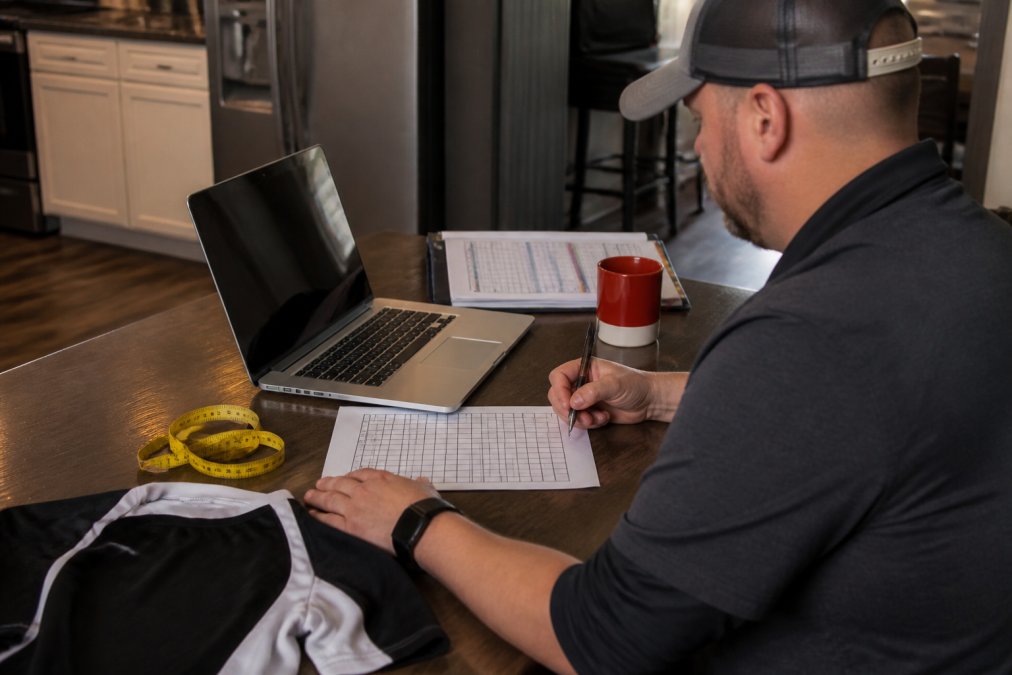
Which Columns Actually Matter
Every column you add is one someone has to maintain, so keep it tight. These fields earn their place:
| Column | Why It Matters | Example |
|---|---|---|
| Player name | Primary key for every lookup | J. Alvarez |
| Jersey number | Prevents duplicate numbers | 14 |
| Jersey size | Drives the garment list | Youth L |
| Short size | Separate from jersey size | Youth M |
| Order status | Tracks ordered vs. received | Received |
| Number assigned? | Flags collisions before printing | Yes |
| Eligibility verified? | Blocks ineligible submissions | Yes |
| Date added / date removed | Tells you when the roster changed | 10/03/2026 |
| Changed by | Tells you who made the edit | Coach R. |
Add a “notes” column for anything unusual: a longer sleeve, a retired number, a late addition pending payment.
The Three Tabs That Keep the Document Honest
A single flat sheet breaks the moment two people edit at once or a cut player’s row is deleted. Use three tabs in the same file.
- Master roster tab. Every player who has ever been on the team this season, with a status column (active, cut, moved, pending). Never delete a row. Change the status instead.
- Current order tab. Only the players and garments actually submitted to the vendor. This tab pulls from the master via lookup formulas so it can never drift out of sync.
- Change log tab. A dated list of every addition, cut, and number swap, with who made the change and why. This tab saves you in November when a parent disputes a charge.
This three-tab structure is the piece most guides skip, and the piece that makes bulk updates and re-allocation rules possible: the master roster is the single source of truth, and the order tab is a derived view.
Version Control and Edit Permissions
Shared spreadsheets fail predictably. Plan for it:
- Two editors, not one, not five. One editor is a single point of failure; five is chaos. Two admins with edit access, everyone else read-only.
- Turn on version history. Google Sheets and Excel both keep a revision history. Know how to open it before you need it, the first time will be during an argument about a number.
- Use a form for intake, not direct edits. A shared intake form (Google Forms, Microsoft Forms, or your league’s registration tool) writes new players into the master roster in a consistent format.
- Protect the header row and the name column. Lock them so a well-meaning parent can’t sort the sheet and scramble the lookup formulas.
Lock the header row and the player name column in your spreadsheet software, then share it with read-only access for parents and edit access for two admins. One editor is a single point of failure; five editors is chaos.
Connecting the Spreadsheet to the Actual Order
The spreadsheet is only useful if it matches what the vendor has. Reconcile at three points:
- At order submission. Compare the current order tab against the vendor’s order confirmation line by line. Discrepancies here are cheap to fix.
- At delivery. Count by size against the current order tab, not against the packing slip. Packing slips are wrong more often than people expect.
- After every roster change. Re-run the reconciliation on the affected rows only. A cut player’s row moves to “cut” status; a new player’s row moves to “pending” until their garment is confirmed.
A spreadsheet not reconciled against vendor records is a wish list. Reconciliation turns it into a tracking system.
The Custom Sports Team Uniform Ordering Process, Step by Step
The custom sports team uniform ordering process runs from roster lock to delivery, and every step feeds the next. Work backward, not forward. This version assumes rosters change mid-season, so it includes the reorder path most guides skip.
- Lock the roster and collect sizes. Give families a hard cutoff and a size chart, not a guess. Measure if you can. Log every submission in the same document you’ll use to track the order, not a text thread.
- Finalize design direction and confirm the garment list. Colors, fonts, logo placement, and exact count per size. Decide now whether names go on the back, because that changes your reorder cost later.
- Submit artwork and approve the proof. Get a proof and sign off in writing before production. Keep the approved proof file, you’ll need it for any mid-season reorder.
- Confirm the delivery deadline with your vendor. Get the date in writing, and ask what their in-season reorder lead time is. A vendor who can’t answer will miss your October addition.
- Place the order and log it in your spreadsheet. Every line item and status, plus the order number, PO date, and promised ship date.
- Track production and confirm the ship date. Follow up a week before the promised date. If the vendor is quiet, that is information.
- Receive, count, and check against the roster. Do this the day boxes arrive, not the following week. Count by size, not by total.
Setting the Delivery Deadline Backward from Game Day
Start with your first game date and subtract. Production, shipping, and a reprint buffer all need room.
- Game day: the fixed point.
- Shipping: allow several business days for ground transit.
- Production: the longest block, and the one vendors control.
The Mid-Season Reorder Path (The Step Most Guides Skip)
Ask your vendor for a written reorder policy before the season starts: minimum quantity, setup charges, in-season lead time, and whether they hold your artwork on file. A vendor who holds your art and your style numbers can turn a reorder in days. A vendor who doesn’t will ask you to resubmit everything.
What to Confirm in Writing Before You Pay a Deposit
Bulk Update Automation for Player Cuts and New Additions
Practical ways to automate the update:
Uniform Re-Allocation Logic When Numbers and Sizes Shift
A workable default:
Handling Uniform Returns and Exchanges Without Blowing the Budget
Keep the budget intact by:
The most expensive mistake in team apparel is printing numbers before the roster is locked. A printed jersey can’t be resold, so every cut after printing is a sunk cost (the FTC). Collect sizes first, print last.
Compliance and Eligibility Checks Before You Submit the Roster
Before you submit, verify:
The teams that survive mid-season roster changes aren’t the ones with the fewest changes. They’re the ones whose spreadsheet, re-allocation rules, and eligibility records were ready before the first change happened.
Frequently Asked Questions
How do you keep track of uniform sizes for a changing roster?
Keep one master team uniform size tracking spreadsheet that lists each player’s name, jersey number, size, and order status. When a player is cut or added, update that single row rather than starting a new list. Add a timestamp column so you know which sizes were confirmed and when. Before submitting any reorder, cross-check the sheet against your current roster so you never order a jersey for a player who already left the team.
What is the best way to communicate uniform changes to a supplier?
Send changes in one consolidated message with a clear subject line, the original order number, and a table showing what was removed, added, or swapped. Avoid texting updates one at a time across a week. Include player names, jersey numbers, sizes, and the date you need the gear. Confirm the supplier received it in writing, and ask for a revised order confirmation before production starts. This keeps your custom sports team uniform ordering process clean.
How do you handle uniform inventory when players are added or cut?
Before you reorder anything, check what is already in hand. A cut player’s unworn jersey can often be re-lettered or reassigned to a new addition if the number is still available. Keep a simple inventory log of every blank and printed item, including size and number. Re-allocation beats reordering when the timing is tight, and it typically costs less than a fresh production run.
How far in advance should you finalize uniform orders for a new season?
Aim to lock the roster and sizes at least six to eight weeks before your first game. That leaves room for artwork approval, production, and shipping, plus a buffer if a size needs to change. If your league allows late additions, ask your supplier upfront how they handle mid-season adjustments and what the turnaround looks like on single-piece reorders.